_1762866128417-DS2_OO1j.png)
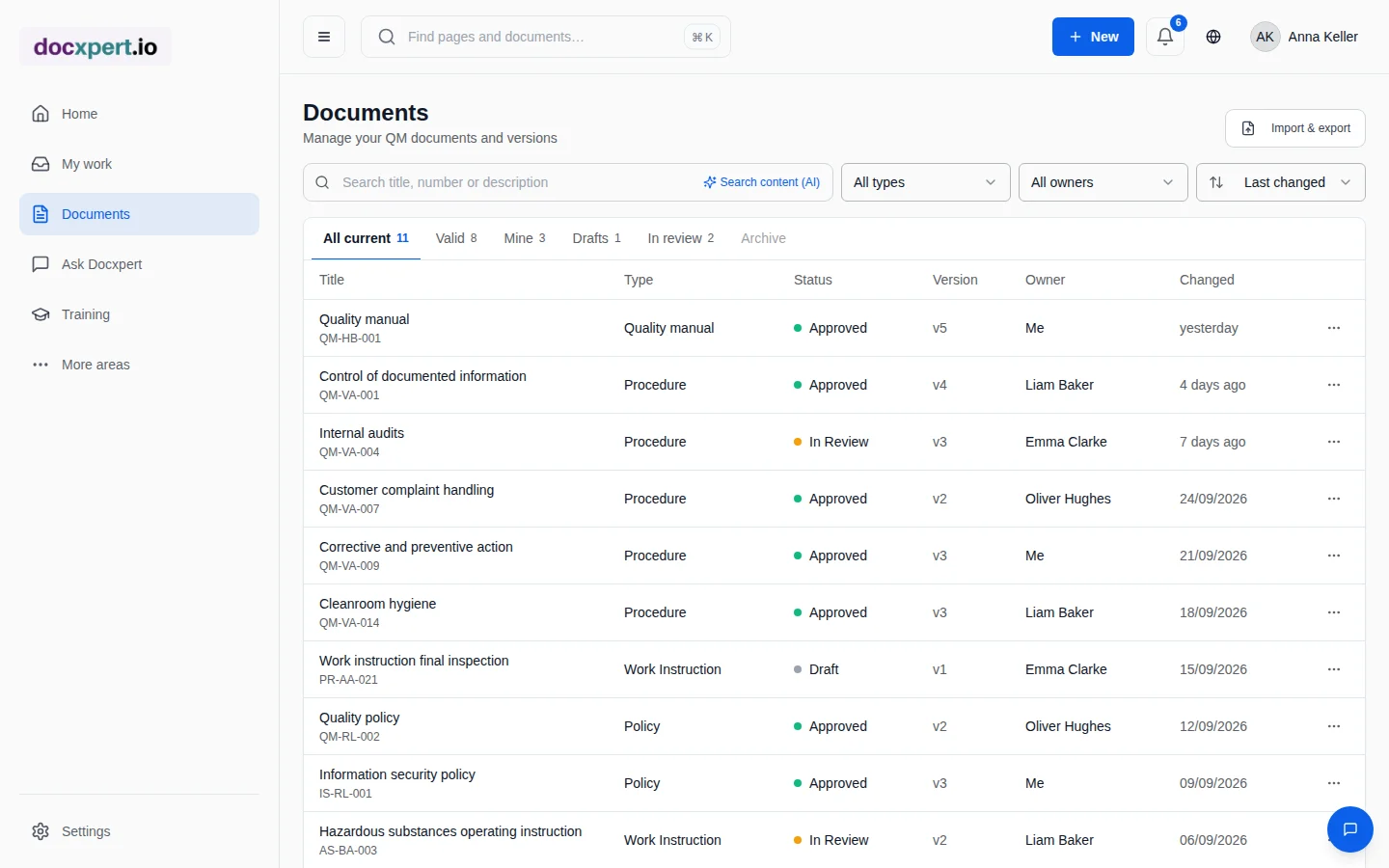
Why document control is so often flagged in audits
Every ISO management system standard requires documented information to be identified, reviewed, approved, available and protected against unintended change. In practice, documents are spread across drives, email attachments and printouts at workstations. Nobody knows for sure which version is current, who approved it and whether everyone affected has seen it.
The consequences show up in the audit: outdated printouts on the shop floor, missing approval evidence, overdue reviews. Document control software solves this by taking every document through a fixed lifecycle – from draft to archive – and logging every step.
The lifecycle of a controlled document
- 1
Create
Start blank, import a file, use a library template or draft with AI support. Number, document type, owners and department are set right away.
- 2
Review and approve
The document enters the approval workflow: single or dual-stage, following rules per document type. Reviewers and approvers confirm by re-authenticating.
- 3
Distribute
The approved version is immediately visible to everyone authorised. With read and understood you prove that the people affected have read it.
- 4
Change
Every change creates a new version with a change reason and comparison. The previous version remains archived and traceable.
- 5
Review periodically
A review cycle reminds you of the periodic review in time. Overdue documents are flagged in lists and in the personal inbox.
- 6
Withdraw and archive
Invalid documents are withdrawn with a reason; controlled copies lose their validity automatically.
What document control in docxpert does
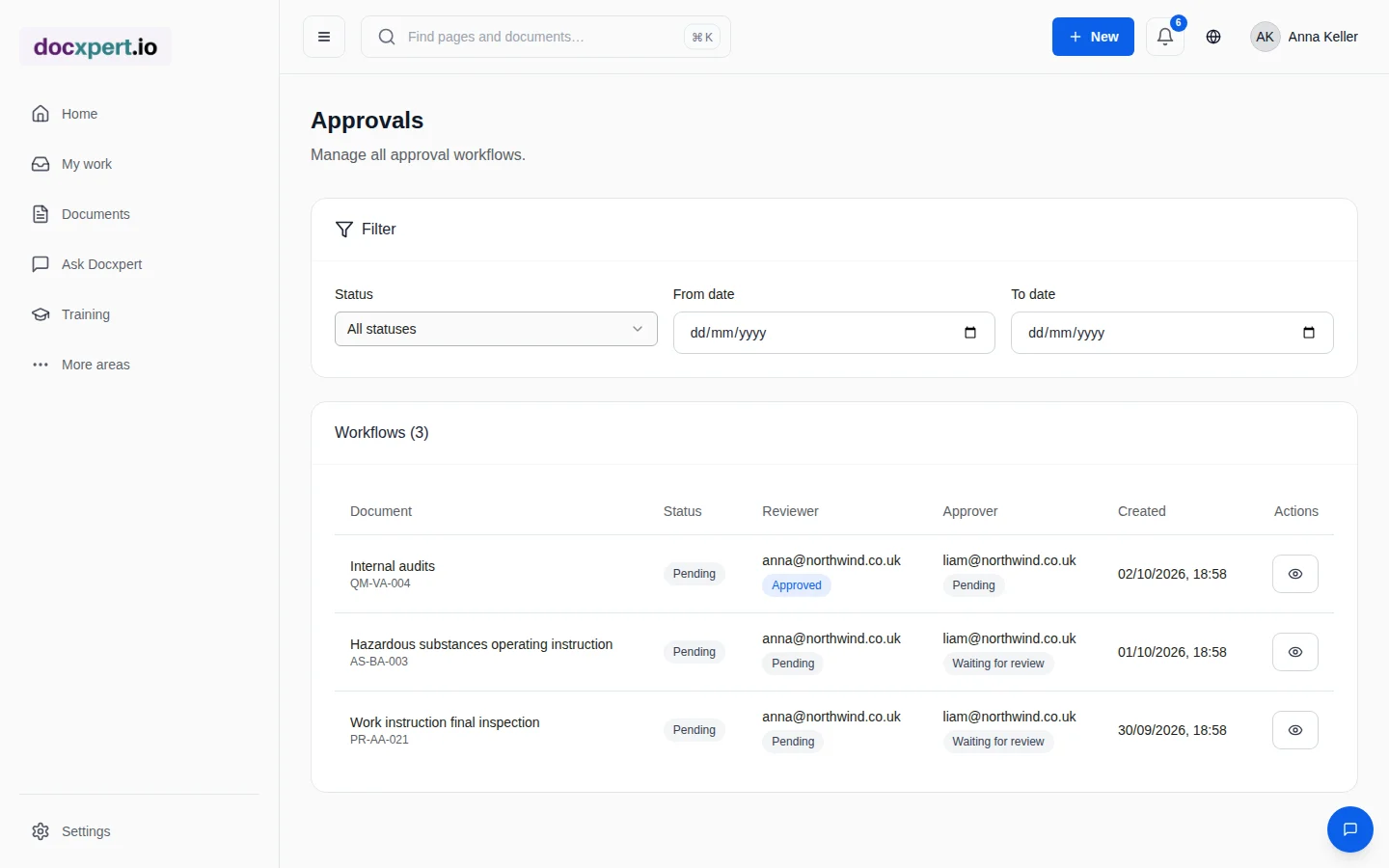
Standard requirements and how docxpert covers them
| Requirement | Clause | In docxpert |
|---|---|---|
| Identification and description | ISO 9001 7.5.2 a | Title, number, version, document type and owners for every document |
| Review and approval | ISO 9001 7.5.2 c | Single or dual-stage approval with log and re-authentication |
| Availability at the point of use | ISO 9001 7.5.3.1 a | Web-based access, including mobile; only the current version is active |
| Protection against unintended change | ISO 9001 7.5.3.1 b | Approved versions are read-only; changes only via a new version |
| Control of changes | ISO 9001 7.5.3.2 c | Version history, comparison, change reason and audit trail |
| Preventing use of obsolete documents | ISO 13485 4.2.4 | Archiving, withdrawal and verifiable controlled copies |
The same principles apply to ISO 14001, ISO 45001 and ISO 27001, because all of these standards follow the harmonized structure. Our guide to ISO 9001 document control explains the requirements in detail.
Shared drive or document control software?
| Topic | Shared drive and spreadsheets | docxpert |
|---|---|---|
| Current version | Depends on file names and discipline | Unambiguous, older versions archived |
| Approval evidence | Signature on paper or email | Logged with person, time and re-authentication |
| Review deadlines | Manual list | Automatic reminder and overview |
| Acknowledgement | Routing slip | Read and understood per person and version |
| Audit preparation | Days of searching | Evidence in one click, export as CSV or PDF |
Controlled documentation in three steps
- 1
Bring in what you have
Upload your existing documents. AI suggests document type, clause and department; a suggestion is only applied once you confirm it.
- 2
Set the rules
Define document types, numbering, approval rules and review intervals. The default values are enough to get started.
- 3
Close the gaps
The gap analysis shows which mandatory documents of your standards are still missing. You create matching templates in minutes.
Many companies work to several standards at once. In docxpert you run an integrated management system: a document can be assigned to several standards, and gap analyses, templates and evidence take all active standards into account. For example, you maintain one document control procedure instead of separate versions for quality, environment and information security.
Who docxpert is for
docxpert is built for small and medium-sized companies with one or more management systems – from machine builders with ISO 9001 and medical device manufacturers with ISO 13485 to IT service providers with ISO 27001. The interface is available in English and German, and templates come in both languages.
Because documents, training, deviations and evidence live in one platform, there are no hand-offs between tools: a new version of a procedure can trigger retraining directly, and a deviation links to the affected document.
Frequently asked questions
What is document control?
Document control is the managed creation, review, approval, distribution, change and archiving of documents and records. ISO 9001 calls it “control of documented information” in clause 7.5.
Can I bring in existing Word and PDF documents?
Yes. You can upload files individually or import them in bulk, including from SharePoint. AI classification suggestions are only applied after an authorised person confirms them.
Who may approve documents?
You define this with roles and approval rules per document type – for example single-stage by the quality manager or dual-stage with a technical review and approval.
Are documents protected against tampering?
Approved versions are read-only. All actions go into a hash-chained audit trail, optionally with a blockchain timestamp.
Does docxpert work on the shop floor without a fixed PC?
Yes. docxpert runs in the browser, including on tablets and smartphones. Employees open the current work instruction right at the workstation, and printouts can be checked for validity by QR code.
Is there a free trial?
Yes, you can try docxpert free for 14 days, including document control, approvals and the audit trail.