_1762866128417-DS2_OO1j.png)
Why training records so often become audit findings
Every management system standard requires you to determine, ensure and evidence the necessary competence. In practice, training is planned in spreadsheets, attendance lists are collected on paper and deadlines live in the quality manager's calendar. As soon as a document changes or new people start, mandatory training slips through.
Auditors then ask for more than the attendance list. They want to see whether the training matched the current document version, whether everyone affected has been trained and whether effectiveness was evaluated. Training management software answers these questions in one click.
How training management works
- 1
Create the training
A wizard guides you through format (online, classroom or external), content and audience. Online training is based on an approved document.
- 2
Create and review questions
AI suggests knowledge-check questions from the document. Only questions approved by a responsible person are used.
- 3
Define the audience
Everyone, selected departments, roles or individuals – with exclusions. Anyone who joins the audience later is assigned automatically.
- 4
Learn and confirm
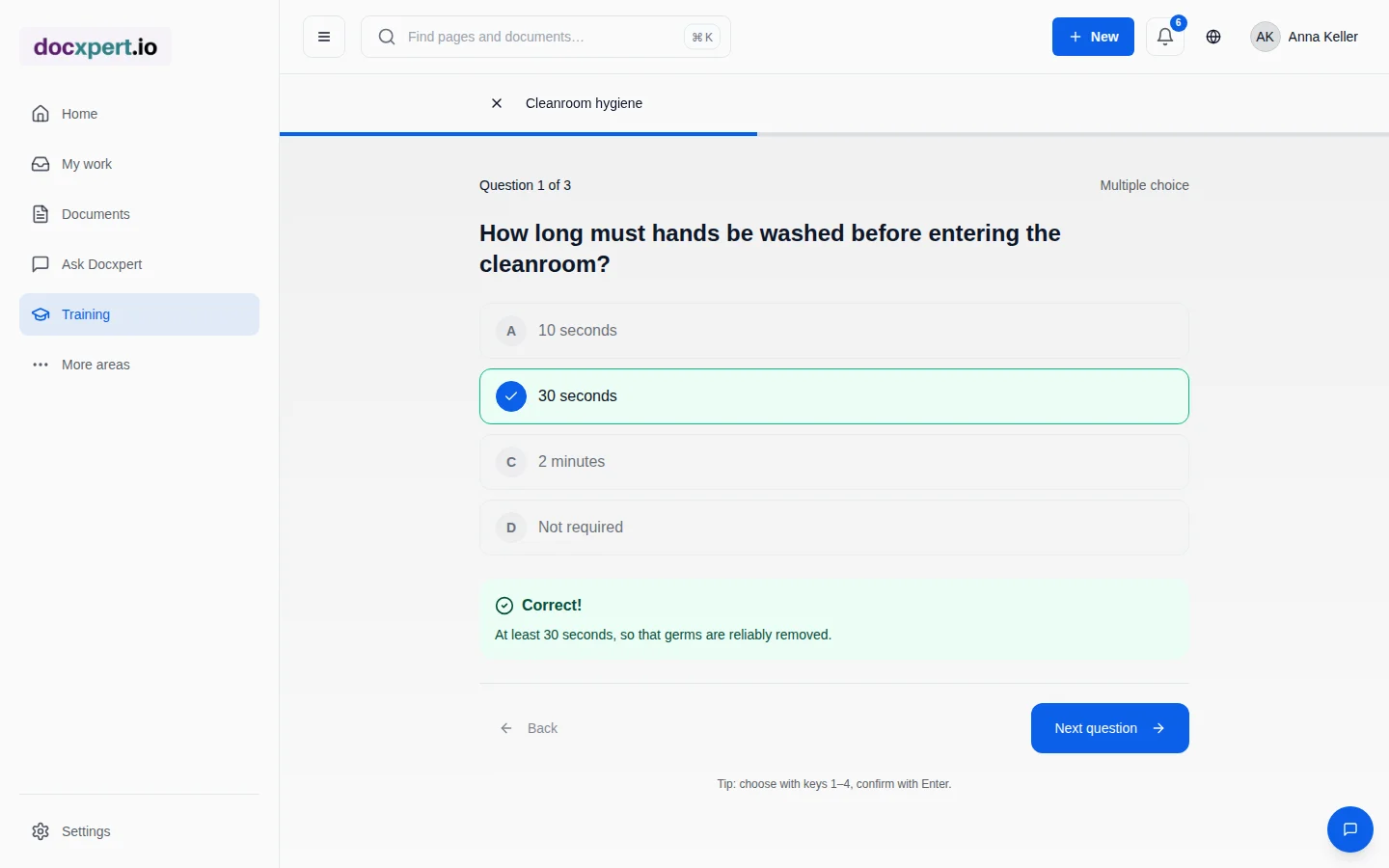
Employees read the document, confirm reading and answer one question per screen with immediate feedback. Passing means a PDF record.
- 5
Remind and escalate
Reminders before the deadline, weekly notices when overdue and a one-time escalation to the line manager – in the app and by email.
- 6
Evaluate effectiveness
After a defined time, the line manager rates whether what was learned is applied. “Not effective” triggers retraining.
Online, classroom and external – all in one matrix
Standards reference
| Standard | Requirement | In docxpert |
|---|---|---|
| ISO 9001:2015, 7.2 | Determine and ensure competence, evaluate effectiveness, retain evidence | Audiences, training, effectiveness checks, training matrix |
| ISO 9001:2015, 7.3 | Awareness of policy, objectives and implications | Online training with read confirmation and knowledge check |
| ISO 13485:2016, 6.2 | Documented processes for competence, training and awareness; effectiveness | Fixed flow with evidence and evaluation |
| ISO 45001:2018, 7.2 and 7.3 | Competence and awareness for health and safety | Classroom briefings with attendance and refreshers |
| EU AI Act, Art. 4 | AI literacy of staff | Training on AI use with records |
| NIS2, Art. 20 | Training for management bodies | Assignment to role or person with deadline |
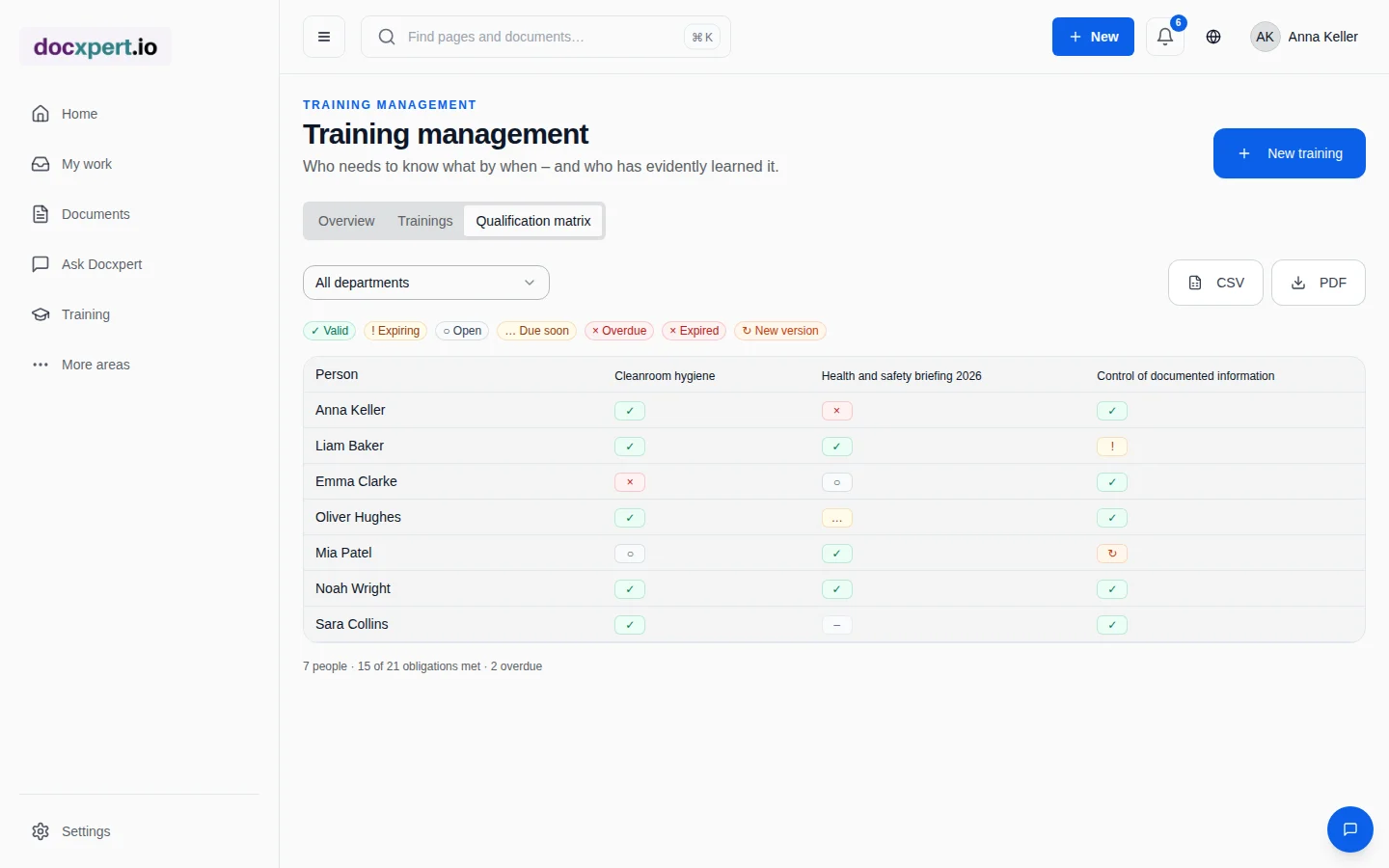
Our guide on how to build a training matrix shows how to set up a meaningful matrix; training effectiveness explains evaluation methods. For a self-check, use the training records checklist.
Records that convince auditors
- Training record as PDF with person, training, document version, result and validity – with a QR code for verification.
- Training matrix filterable by department and exportable as CSV or PDF.
- Attendance lists and certificates as checked files on classroom sessions and external evidence.
- Complete history of all assignments, attempts, reminders and ratings in the audit trail.
Ready in one week
You do not need to switch all training over at once. A step-by-step start that quickly shows results works well:
- 1
Day 1: departments and roles
Create or import departments and responsibilities. They are the basis for audiences and escalation to line managers.
- 2
Day 2: mandatory training
Create the five most important mandatory trainings, such as document control, health and safety briefing and hygiene, each with a deadline and validity.
- 3
Day 3: bring in existing records
Record existing evidence as external records so that the matrix is right from day one.
- 4
From day 4: business as usual
New starters are assigned automatically, reminders run on their own and the matrix shows where gaps remain.
For managers, quality teams and employees
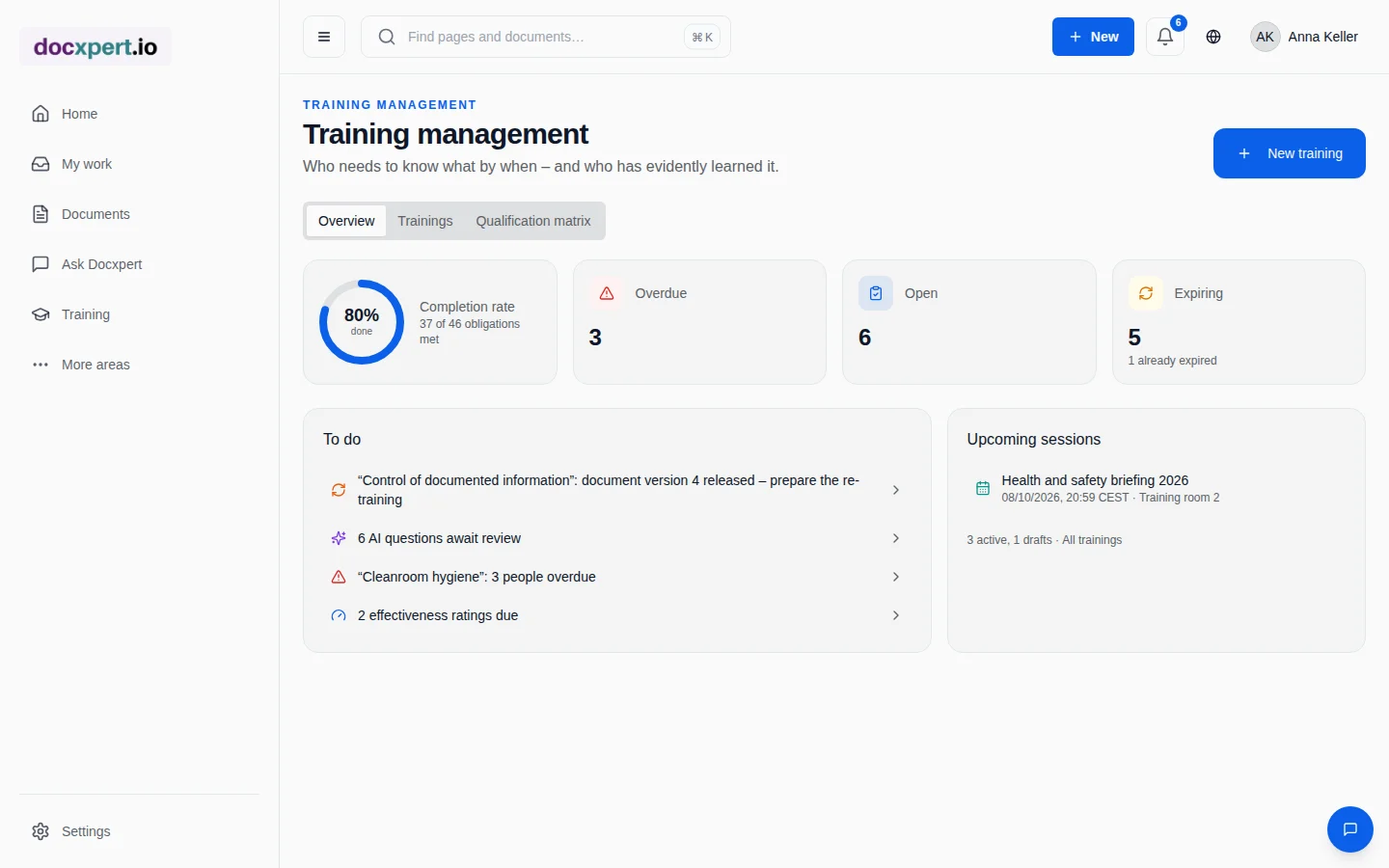
Quality managers see completion rate, overdue training, open question reviews and upcoming sessions at a glance. Line managers only receive escalations when something really stalls, and they rate effectiveness for their team. Employees see clearly what they need to do by when and receive their record immediately after passing.
Because training is based on controlled documents, there is no double maintenance: when a procedure changes in document control, the training follows automatically.
Frequently asked questions
Do I need a separate tool for classroom training?
No. Sessions, invitations, attendance, attendance lists and records run in docxpert in the same flow as online training and end up in the same training matrix.
Does AI create the quiz questions automatically?
AI suggests questions from the document. Only questions that a responsible person has reviewed and approved are used.
Can employees see the correct answers in advance?
No. Answers are graded on the server; solutions are only shown after an answer has been submitted.
How is classroom training evidenced?
Through sessions with attendance per person, optional self-confirmation by participants and an uploaded attendance list. Only attendees receive the record.
Can I bring in existing training records?
Yes. External or earlier records can be recorded per person with a file and date, and they count in the training matrix.
Who is notified about overdue training?
First the person concerned, then weekly reminders. After a defined time there is a one-time escalation to the line manager and the person responsible for the training.