_1762866128417-DS2_OO1j.png)
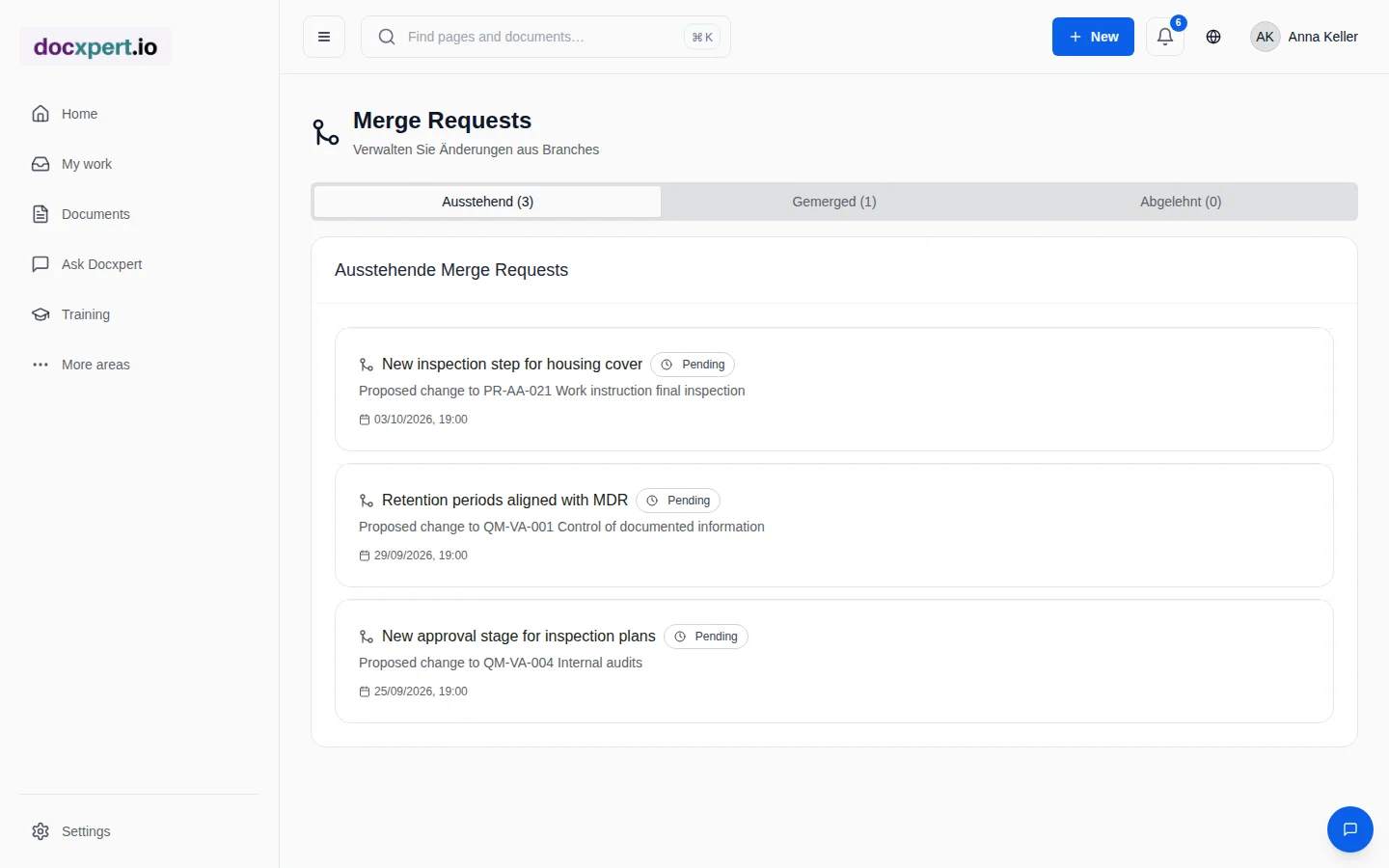
Why changes fail in day-to-day work
There are plenty of ideas for improving documents: the shift lead notices a missing inspection step, purchasing wants to adjust a deadline, IT needs to record a new responsibility. These ideas end up in emails, on sticky notes or in meeting minutes – and get lost. Or someone changes the document directly, without alignment or approval.
Both are problematic in a management system: lost ideas slow down improvement, uncontrolled changes break document control. ISO 9001 requires planned changes to the management system in 6.3 and control of changes in 7.5.3. Structured change control covers both.
Three tools for changes
All three tools work on the same document and remain traceable with person and time. The actual new version is created through version control and the approval workflow.
How a change request works
- 1
Create a working copy
A separate working copy is created from the approved document. The valid document remains in use, unchanged.
- 2
Revise
Changes are made in the working copy – over several days and by several people if needed.
- 3
Submit the request
The request describes the reason and goal. An AI summary shows which sections were changed, added or removed.
- 4
Review and decide
The owner approves or rejects with a comment. Conflicts with changes made in the meantime are shown.
- 5
Merge and approve
Approved changes flow into a new version, which then goes through the normal approval process.
Which tool when?
| Situation | Recommended tool |
|---|---|
| Question about wording, pointing out something unclear | Comment |
| Typo, more precise wording, small addition | Suggestion |
| New inspection step, changed responsibilities, restructured sections | Change request |
| Change resulting from a CAPA or audit finding | Change request referencing the CAPA |
| Complete rewrite | New version, possibly with an AI draft |
Standards reference
| Standard | Requirement | Implementation |
|---|---|---|
| ISO 9001:2015, 6.3 | Carry out changes to the QMS in a planned manner | Change request with reason, review and decision |
| ISO 9001:2015, 7.5.3.2 | Control of changes to documented information | Comments, suggestions and requests with a log |
| ISO 9001:2015, 8.5.6 | Control of changes for production | Request with assessment before implementation |
| ISO 13485:2016, 4.2.4 and 7.3.9 | Review and approve changes, assess their impact | Review with justification before merging |
| IATF 16949:2016, 8.5.6.1 | Assess, verify and validate changes | Documented decision linked to the action |
Roles and responsibilities in the change process
A change process only works when everyone knows who may do what. In docxpert, anyone with access to a document can comment and suggest changes. Accepting, rejecting and approving is left to the people responsible for the document. That keeps the barrier to feedback low while control over content stays with the subject-matter owners.
- Users: raise unclear wording and improvements as a comment or suggestion, right where the issue is.
- Document owners: review feedback, accept or reject suggestions with a reason, and bundle larger revisions into a change request.
- Reviewers and approvers: assess the request on its merits, consider the impact on other processes and release the new version.
- Quality lead: keeps an eye on open requests and comments that have been waiting too long, and reports on change activity in the management review.
Impact assessment matters too: does a change affect training content, inspection plans or linked documents? Record these questions in the request so nothing is forgotten after release – for example a read acknowledgement for everyone affected.
Example: an improvement from the shop floor
A machine operator notices that the work instruction for tool changes gives a safety warning too late. He leaves a comment right on that section. The process owner picks up the note, creates a change request, moves the warning to the beginning and adds a photo.
The AI summary shows the safety officer at a glance what changed. He approves the request, the new version is approved, and the operators confirm it via read and understood. The comment is resolved – with a reference to the new version.
Frequently asked questions
How do I record the impact of a change?
Describe the reason, goal and affected areas in the change request – such as training content, inspection plans or linked documents. Reviewers then see at a glance which follow-up activities are needed after release.
Can anyone suggest changes to documents?
Anyone with read access can leave comments and suggestions if you allow it. Only the responsible people may merge and approve changes.
Does the valid document remain usable during a change request?
Yes. The request is made in a separate working copy; the approved document stays valid until the new approval.
What does the AI summary show?
Which sections were changed, added or removed – as a suggestion for faster review. The content comparison remains authoritative.
What happens with conflicting changes?
If the document was changed in the meantime, the request shows possible conflicts so you can resolve them before merging.
Is a change request the same as a CAPA?
No. The CAPA removes the cause of a problem; a change request changes a document. The request is often one action within the CAPA.
How do I distinguish an urgent containment measure from a permanent document change?
Containment limits an immediate risk while the approved instruction remains the official version. If the current instruction is unsafe or incorrect, stop affected work or communicate a clearly time-limited interim rule through a controlled channel. Name an owner, scope and expiry date, and make sure affected people receive the notice. In parallel, start the change request: record its trigger and rationale, identify affected documents and processes, assess impacts, obtain technical review and put the new version into effect only after approval. Link the interim measure to the later request so it cannot quietly become permanent. Define the escalation route in your procedure before an urgent situation arises.