_1762866128417-DS2_OO1j.png)
What is an SOP?
A standard operating procedure (SOP) describes a process or sub-process that usually involves several departments or roles: who is involved, what are the steps, which outputs result, which records are kept? Depending on the industry it is also called a procedure or operating procedure.
| Document type | Content | Example |
|---|---|---|
| Process description | Overview of a process with objectives and KPIs | Purchasing process |
| Procedure / SOP | Workflow across roles and departments | Supplier evaluation and approval |
| Work instruction | Specific steps at one workstation | Incoming inspection of part 4711 |
| Form / checklist | Template for records | Supplier evaluation form |
ISO 9001:2015 no longer requires procedures, but it does require documented information to the extent necessary for effective processes. In regulated industries such as medical devices or pharma, documented procedures are still explicitly required in many places.
When is an SOP worth it?
- Several roles or departments are involved and interfaces must be clear.
- Mistakes in the workflow are expensive, dangerous or have legal consequences.
- The workflow is performed rarely, so there is no routine.
- New employees must learn the workflow quickly.
- Customers, standards or authorities require a documented procedure.
You don't need an SOP if the workflow is simple, carried out by experienced people and mistakes are easy to spot. Fewer documents that are read beat many that nobody knows.
The proven structure
| Section | Content |
|---|---|
| 1 Purpose | Why does this procedure exist? One or two sentences. |
| 2 Scope | Which sites, areas, products does it cover – and which not? |
| 3 Terms and abbreviations | Only if they are not commonly known. |
| 4 Responsibilities | Which role is responsible for what? Ideally as a table. |
| 5 Procedure | The steps in the right order – as a list, table or flowchart. |
| 6 Related documents | Work instructions, forms, external requirements. |
| 7 Records | Which records result, where are they stored, how long are they retained? |
| 8 Revision history | What changed compared with the previous version? |
Header data such as document number, version, effective date, author, reviewer and approver belongs in the document header. More in the guide ISO 9001 document control.
Describing the procedure
The procedure section is the core. A table with four columns is the clearest – or a flowchart if there are branches:
| No. | Activity | Responsible | Output / record |
|---|---|---|---|
| 1 | Request a new supplier | Business area | Request to purchasing |
| 2 | Request self-assessment and certificates | Purchasing | Self-assessment |
| 3 | Evaluate the supplier against criteria | Purchasing, quality | Evaluation form |
| 4 | For critical parts: first article inspection | Quality | First article inspection report |
| 5 | Approve or reject | Head of purchasing | Entry in the approved supplier list |
| 6 | Annual re-evaluation | Purchasing | Updated evaluation form |
Example: the first sections of an SOP
- Purpose: this SOP defines how new suppliers are evaluated and approved so that only suitable suppliers deliver quality-relevant parts.
- Scope: applies to all suppliers of production material and quality-relevant services at the North and South sites. Not for office supplies and general services.
- Responsibilities: purchasing carries out the evaluation and maintains the supplier list. Quality assesses quality capability and performs first article inspections. The head of purchasing grants approval.
- Related documents: supplier self-assessment form, evaluation form, first article inspection work instruction.
- Records: evaluation forms and approvals are stored in the supplier file and retained for the duration of the business relationship plus five years.
These few sentences already answer an auditor's most important questions: what does the procedure cover, who is responsible and which records exist?
Using flowcharts well
A flowchart pays off as soon as a workflow includes decisions or parallel paths. Use a few consistent symbols: rectangles for activities, diamonds for decisions, arrows for sequence. Swimlanes – columns or rows per role – show at a glance who is responsible for what and where hand-overs happen. Keep diagrams to one page; if they grow, split the workflow into sub-processes.
Writing tips
- Active and specific: "Purchasing checks the certificates" rather than "The certificates are to be checked".
- Roles, not names: "Head of quality" rather than "Ms Miller" – otherwise the SOP goes out of date with every staff change.
- One step, one action: split long sentences with several activities.
- Use must, should, may deliberately: "must" for binding requirements, "may" for discretion.
- No quotes from the standard: the SOP describes your workflow, not the standard. A reference to the clause is enough.
- Keep it short: two to four pages are enough for most procedures. Details belong in work instructions.
- Use visuals: flowcharts and photos often explain more than text.
Write with the people involved, not for them
The best SOP is written together with the people who perform the workflow every day. Walk through the process on site, ask about special cases and problems and have the draft reviewed by those involved. That way the SOP describes what actually happens – and is accepted. Comments and suggestions directly on the document make this alignment much easier.
Six steps to a finished SOP
- 1
Clarify objective and scope
Which process, which interfaces, which exceptions?
- 2
Capture the current workflow
Walk through the current workflow with those involved and collect problems.
- 3
Define the target workflow
Incorporate improvements, clarify responsibilities, define records.
- 4
Write a draft
Create a first draft with a template or the AI document generator and adapt it.
- 5
Review and approve
Technical review by those involved, approval by the responsible manager.
- 6
Introduce and train
Inform those affected, train where needed, collect read acknowledgements.
Keeping SOPs up to date
An SOP is only as good as it is current. Assign an owner role and a review interval to each SOP – for example every two years – and revise it when processes, systems or requirements change. Feedback from audits, complaints and employees are valuable triggers for improvement.
Common mistakes
- Rephrased standard text: the SOP repeats the standard instead of describing your own workflow.
- Wishful thinking: an ideal process is described that doesn't happen in practice.
- Too detailed: hand movements belong in work instructions, not in the SOP.
- Personal names: the SOP goes out of date with every staff change.
- No records defined: in the audit it cannot be shown that the workflow was followed.
- Nobody knows it: the SOP was approved but never announced.
SOPs with docxpert
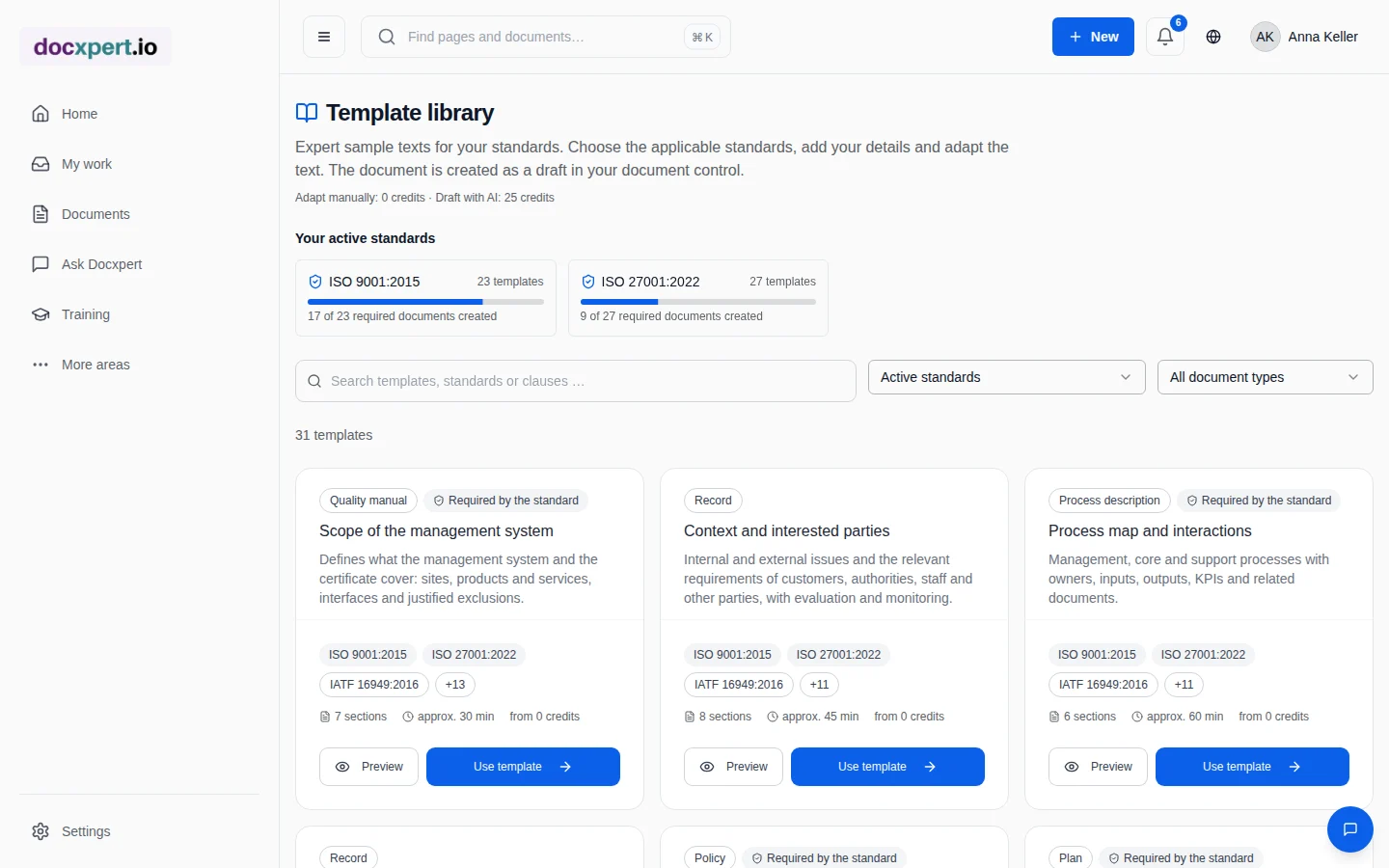
In docxpert you create SOPs from templates in the template library or have a draft generated by the AI document generator. The compliance check shows while you write which requirements the text covers. Comments, suggestions, the approval workflow and read acknowledgements make sure the SOP is aligned, controlled and known.
Frequently asked questions
What is the difference between an SOP and a work instruction?
An SOP describes a workflow across several roles or departments. A work instruction describes specific steps at one workstation or for a single task.
How long should an SOP be?
As short as possible – usually two to four pages. If it gets much longer, move details into work instructions.
Does ISO 9001 require SOPs?
Not explicitly since 2015. The standard requires documented information to the extent necessary for effective processes. How you implement that is up to you.
Who should write an SOP?
The process owners together with those involved. Quality management supports with structure, templates and facilitation.
How often must an SOP be reviewed?
The standard sets no interval. A regular review every one to three years and a revision whenever the process changes is common.
May an SOP be a flowchart?
Yes. Format and medium are up to you. A flowchart with responsibilities is often clearer than prose.
What is the difference between an SOP and a policy?
A policy states principles and commitments – the what and why. An SOP describes how a specific workflow is carried out – the who, what and when.
How do I make sure the SOP is read?
Write it short and practical, create it with those involved, inform or train people on introduction and collect read acknowledgements.
How can I describe exceptions without making an SOP hard to follow?
Describe the normal workflow first, in the order the work is actually performed. Add exceptions only when they change a decision, responsibility or safety control. For each one, name the observable trigger, the responsible role and the next step; avoid phrases such as “if needed” without saying who judges that need. Rare special cases can sit in a linked appendix or separate work instruction if the main procedure points to them clearly. Walk through the draft with people from different shifts or areas and ask them to apply it to a real case. If they interpret the same step differently, that signals missing clarity. This keeps the document concise without hiding important handoffs or escalation routes.