_1762866128417-DS2_OO1j.png)
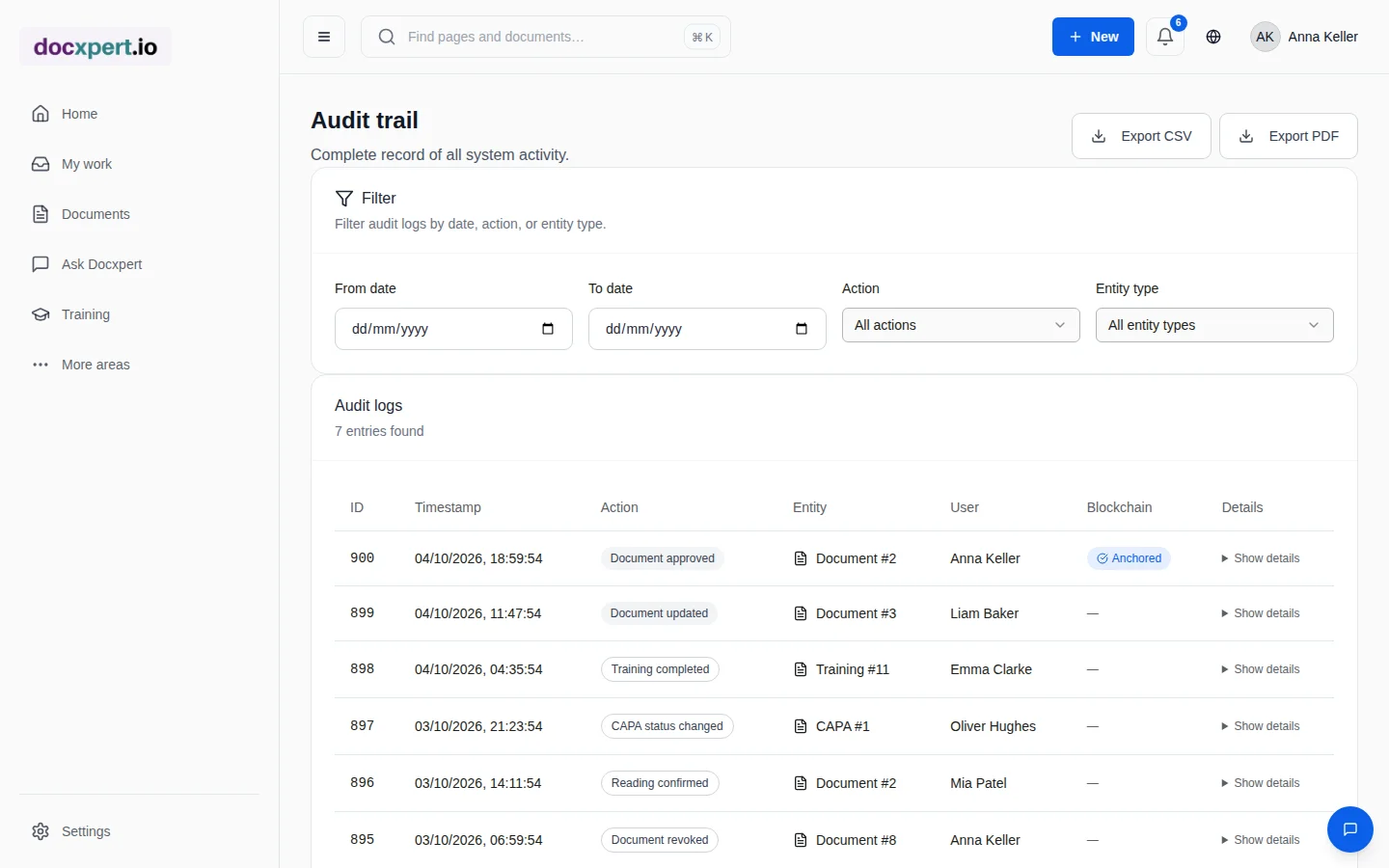
Why an audit trail is more than a change log
An audit trail answers the questions asked in every audit, every customer complaint and every liability case: who did what, when and why? A simple change log is only enough if you can trust it – if nobody can change or delete entries unnoticed.
Regulated industries set particularly high requirements: EU GMP Annex 11 and 21 CFR Part 11 require traceable, protected audit trails for computerised systems. But in ISO 9001, ISO 13485 and ISO 27001 too, unaltered and retrievable evidence is the basis of every audit.
How the hash chain works
- 1
The action is logged
Every relevant action creates an entry with time, person, action, affected object, details and, where applicable, the change reason.
- 2
A fingerprint is computed
A cryptographic hash is calculated from the entry's content and the fingerprint of the previous entry.
- 3
The chain forms
Each entry thus points to its predecessor. If an entry is changed later, its hash no longer matches, and the chain is visibly broken from that point.
- 4
Append only, never change
The audit trail is protected at database level as an append-only log: entries are added, never overwritten.
What is logged
| Area | Examples of logged actions |
|---|---|
| Documents | Create, edit, new version, submit, review, approve, archive, withdraw |
| Approvals | Decision with comment, reassignment during absence, bulk approvals |
| Training | Assignment, attempt, pass, record, exemption, effectiveness rating |
| Quality | Deviations, CAPA status changes, deadline extensions |
| Administration | Role and permission changes, settings, invitations |
Optional: blockchain timestamp
For documents whose authenticity must also be proven to third parties, docxpert can set a blockchain timestamp after approval. A fingerprint of the approved file – not the document itself – is anchored in a public blockchain. Later, you can prove independently of docxpert that exactly this version existed at that time.
- The timestamp is set after approval; a failure while anchoring does not undo the approval but becomes visible in the audit trail.
- In the audit trail, the status “anchored” shows which entries are additionally evidenced.
- AI evidence – such as confirmed analysis results – can be secured the same way.
Features at a glance
Standards reference
| Standard / regulation | Requirement | Contribution of the audit trail |
|---|---|---|
| ISO 9001:2015, 7.5.3 | Protect documented information from loss of integrity; control changes | Unalterable, chained entries for all changes |
| ISO 13485:2016, 4.2.5 | Records legible, identifiable, retrievable; changes traceable | Filterable export with person, time and details |
| ISO/IEC 27001:2022, A.8.15 | Logging of activities, protection of logs | Append-only log with hash chain |
| EU GMP Annex 11, no. 9 | Audit trail for GMP-relevant changes and deletions | Log with reason, person and time |
| 21 CFR Part 11, §11.10(e) | Secure, computer-generated, time-stamped audit trails | Automatically generated, chained entries |
Whether docxpert is sufficient for your regulated use is assessed as part of your validation. The audit trail provides a solid basis for it.
Example: customer audit prepared in an hour
An automotive customer announces a process audit and wants to trace how a change to the inspection plan was implemented after a complaint. The quality manager filters the audit trail by document and period: submission, technical review, approval with re-authentication, read confirmations by inspectors and completed retraining appear in chronological order.
The extract is exported as a PDF and sent to the customer in advance. In the audit itself, time goes into the processes instead of searching for evidence.
Frequently asked questions
Can I check that the audit trail is unchanged?
Yes. Because each entry contains the fingerprint of its predecessor, the whole chain can be recomputed. Deviations have a built-in check of their event chain.
How long are entries kept?
Audit trail entries are not deleted while your workspace exists. That keeps evidence available even over long statutory retention periods.
What does hash-chained mean?
Each entry contains a cryptographic fingerprint that also includes the fingerprint of the previous entry. If an entry is changed, the chain no longer matches – the manipulation is detectable.
Is my document stored in the blockchain?
No. Only a fingerprint of the file is anchored. Content stays in your workspace.
Is the blockchain timestamp mandatory?
No, it is optional and mainly intended for evidence towards third parties. The hash-chained audit trail is always active.
Can I export the audit trail?
Yes, filtered by period, action and object type, as CSV or PDF.
Who can view the audit trail?
Authorised roles, typically quality and administration. You control access through roles and permissions.
Does docxpert meet 21 CFR Part 11?
docxpert covers central elements such as the audit trail and re-authentication for approvals. Conformity for your intended use is assessed as part of your validation.
How should I retain an audit-trail export as evidence?
First define which period, documents and event types matter for the specific review. Export the relevant excerpt, retain it with its context, and record who created the export, when and for what purpose. If verification tools are available, perform the check promptly and retain its result; a hash is meaningful only when compared with the corresponding original. Limit access to people who need to prepare or review the evidence. Also define how long exports must be kept and how they will be protected against accidental change. The audit trail complements your controlled records, but it does not replace your own procedure or validation decision.